
Help / Account / Roles and access
Roles and access
Roles decide what each person can see and do.
Last updated
Permissions
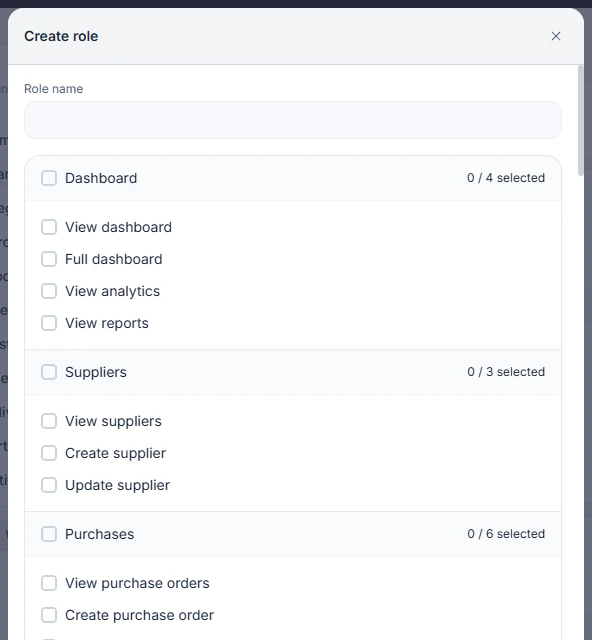
Each role is a set of permissions with plain names, such as View sales, Update customer pricing, Receive stock from PO, Update production stage, and Edit sale after delivery dispatched.
Custom roles
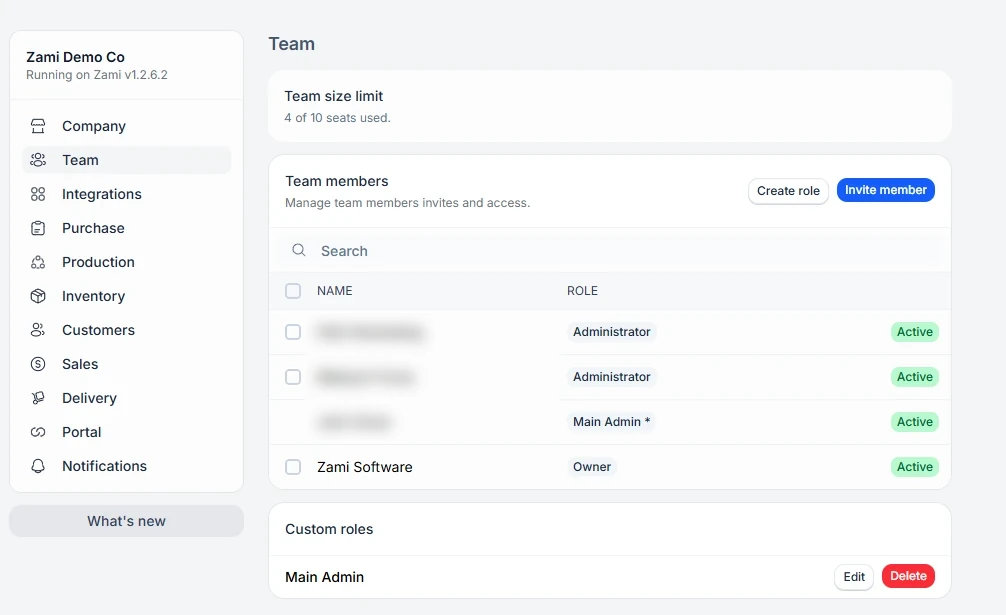
On the Team tab in Settings, choose Create role to build a role from those permissions. Roles are marked System or Custom, and custom roles can be edited or deleted. A role also sets which Analytics widgets its members start with.
Keeping numbers private
Permissions such as View customer pricing, View reports, and View analytics can be left off a role, so its members do not see those areas.