
Help / Product guides / Production
Production
Build recipes, schedule and run production, record safety checks, and print labels.
Last updated
What it is
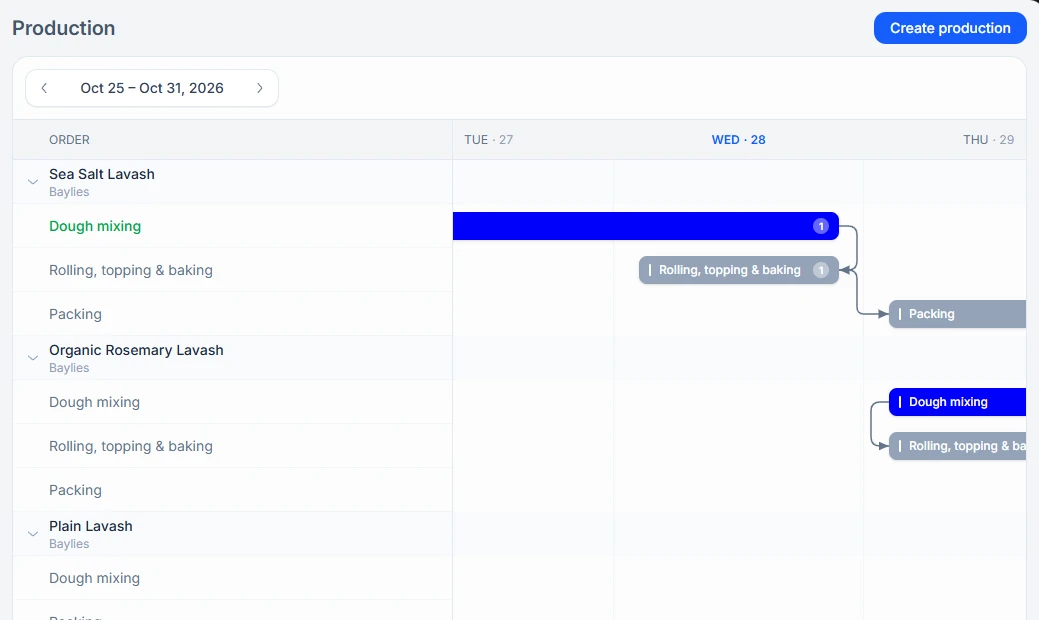
Production is where you make your own products. A recipe sets the ingredients and process steps for a batch. Scheduled batches are laid out on a calendar, with each step shown on the days it runs. Reports holds the safety checks recorded along the way, and History keeps every batch.
Where to find it
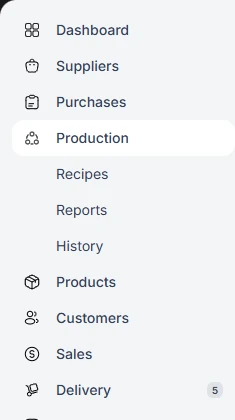
Production is in the sidebar, with Recipes, Reports, and History beneath it.
- A recipe lists the process steps and ingredients, and how much one batch makes.
- Production is scheduled from a recipe, and Zami checks the ingredients are in stock.
- Each step is started and finished, from the office or on the production floor.
- Packing is finished and labels are printed. If Admin approval is on, the office approves packed stock.
- History keeps every batch.
Production settings
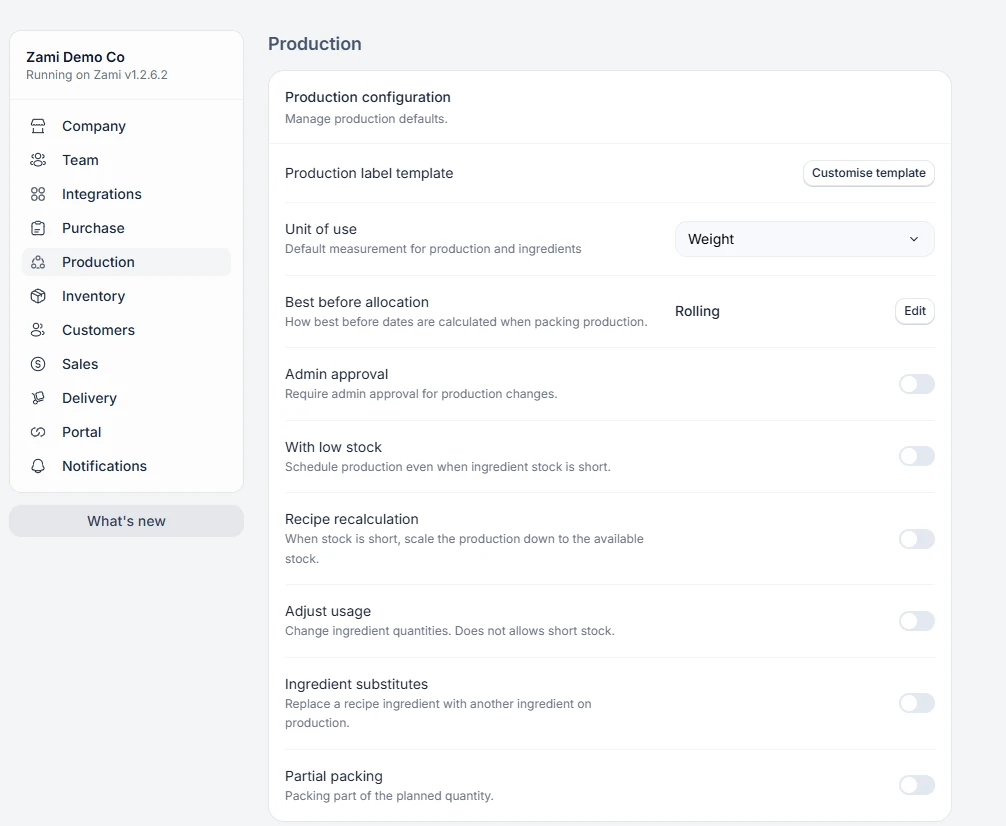
In Settings, the Production tab controls how production behaves: Unit of use, Best before allocation, Admin approval, With low stock, Recipe recalculation, Adjust usage, Ingredient substitutes, and Partial packing.
In this guide
RecipesProcess steps, ingredients, and batch yield for what you make.Scheduling and runningSchedule production, run each step, and pack.Safety reportsBuild food-safety forms and fill them in when they are due.LabelsDesign your production label and print it while packing.Production historyEvery batch you have run.