
Help / Getting started / Navigating Zami
Navigating Zami
The sidebar, the header, search, and switching workspaces.
Last updated
The sidebar
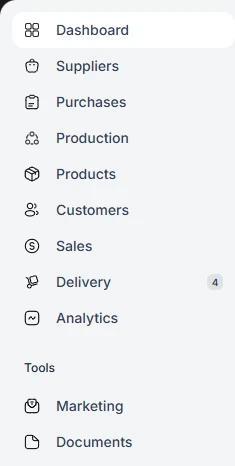
The sidebar lists Dashboard, Suppliers, Purchases, Production, Products, Customers, Sales, Delivery, and Analytics, with Marketing and Documents under Tools. Some items have pages beneath them, such as Recipes under Production or Pricing under Customers. You only see what your role and plan include.
The header
The header has Search, the Assistant, Notifications, and your account menu. Settings is in the account menu. Open the Assistant with Ctrl+I, or Cmd+I on a Mac.

Workspaces
If you belong to more than one business, use the workspace switcher in the sidebar to move between them without signing out.
Records
Open a supplier, customer, product, sale, purchase, delivery, or batch to see its details and a timeline of who changed what, and when.