
Help / Getting started / Get your business ready
Get your business ready
The Dashboard checklist, and loading your products, customers, and suppliers.
Last updated
The checklist
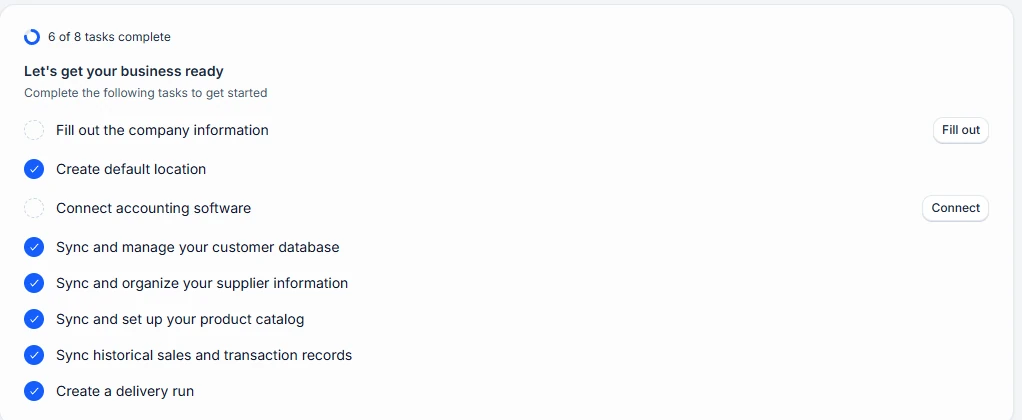
After setup, the Dashboard shows Let’s get your business ready, with the tasks to complete and how many are done. Each task opens the page where you do it, and the next task unlocks once the one before it is done.
If you connected accounting
The first sync brings in the records you chose, such as customers and products. Check what came across before adding records by hand.
Load your records
Anything not brought in by the sync can be imported or added.
- Products: Import products, Import barcodes, and Import images on the Products page, or Create product.
- Stock levels: Import on the Inventory page, or a stocktake with Adjust stock.
- Customers: Import on the Customers page, or Create customer with a payment term and pricing group.
- Suppliers (Advanced and Pro): Import on the Suppliers page, or Create supplier. Then link each product to its suppliers with a cost.
- Recipes (Pro): Import on the Recipes page, or Create.
Then make your first sale
Open Sales and choose Create sale. Choose a customer, add products, and save. The sale creates a delivery, or once approved if Require approval is on. Open the sale and choose Send to customer to send the invoice.