
Help / Getting started / Your account
Your account
Your profile, password, notifications, offline access, and workspaces.
Last updated
Open your account
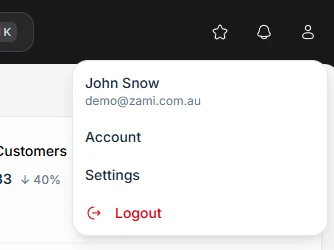
Open the account menu from your avatar in the header and choose Account.
Profile
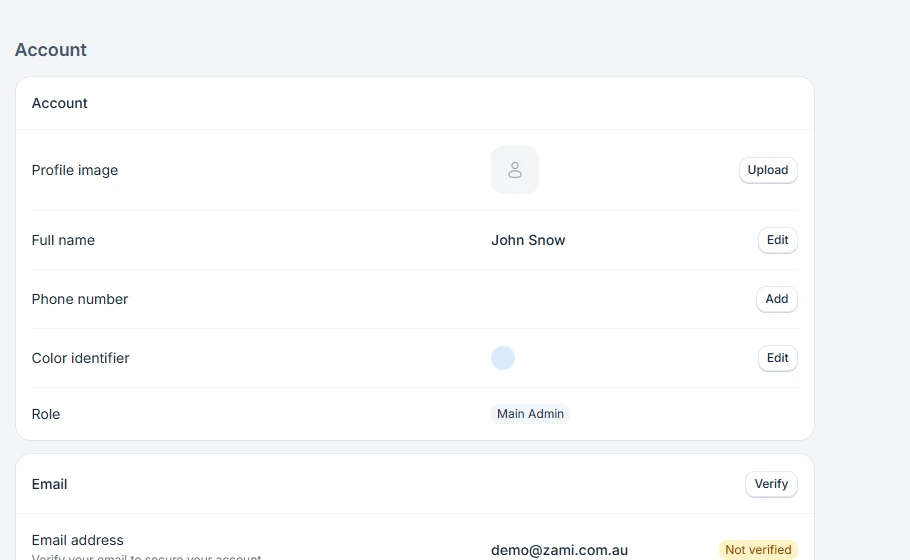
Change your Profile image, Full name, Phone number, and Color identifier. Your Role is shown here too. If your email address shows Not verified, verify it from this page. Use Change password to set a new password.
Notifications
Under Notifications, choose Configure and pick the events you want to hear about, such as Sale created or Order updated.
Offline access
Under Offline access, choose Configure to save customers, products, and sales on this device. This works when Zami is installed on the device as an app.
Workspaces
All workspaces lists every business you belong to. Use Leave to leave one. Under Default workspace, choose which one opens when you sign in, or let Zami open the one you used last.