
Help / Product guides / Marketing / Campaigns
Campaigns
Write an email, add recipients, and send or schedule it.
Last updated
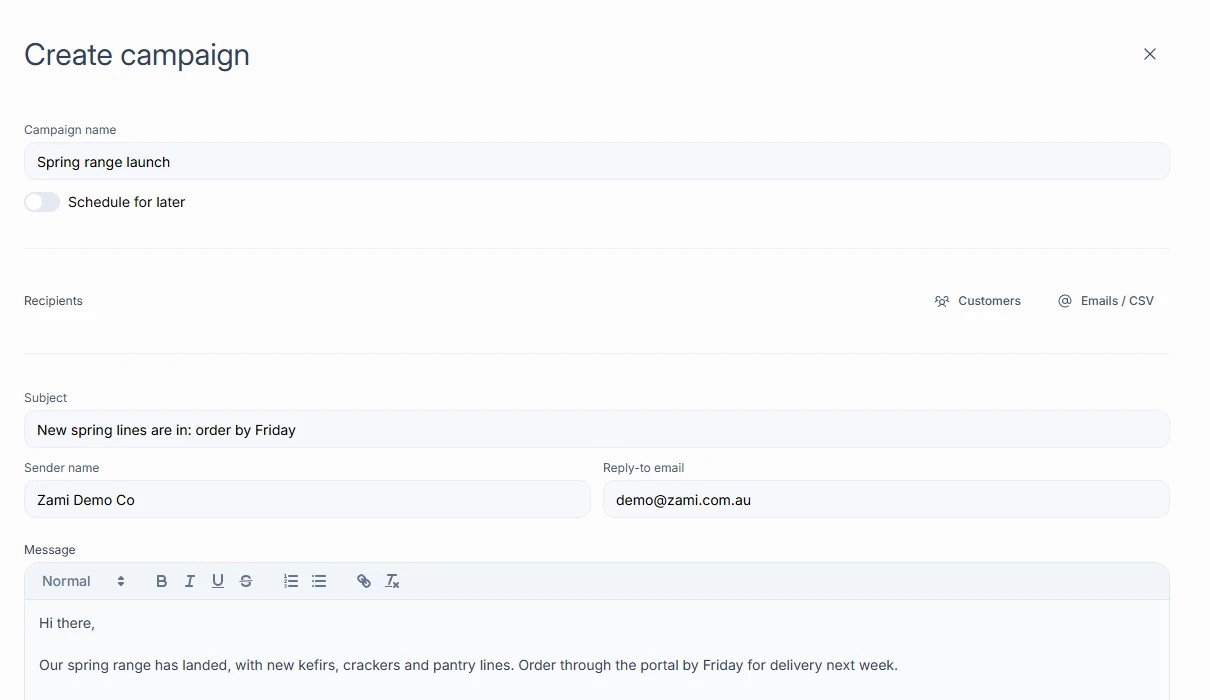
Create a campaign
Open Marketing and choose Create campaign.
- Enter the Campaign name, Subject, Sender name, and Reply-to email.
- Add recipients with Customers, to pick from your customer list, or Emails / CSV, to type, paste, or upload addresses.
- Write the message.
- Under Attachments, choose Add file to attach a catalogue, price list, or other file.
- Choose Send now, or turn on Schedule for later, set a Send date, and choose Schedule. Save as draft keeps it for later.
Drafts and scheduled campaigns
Open a draft or scheduled campaign to check the Email preview, edit it, or choose Send now.