Help / Product guides / Inventory / Products
Products
Create products with SKUs, barcodes, prices, and carton sizes.
Last updated
Add a product
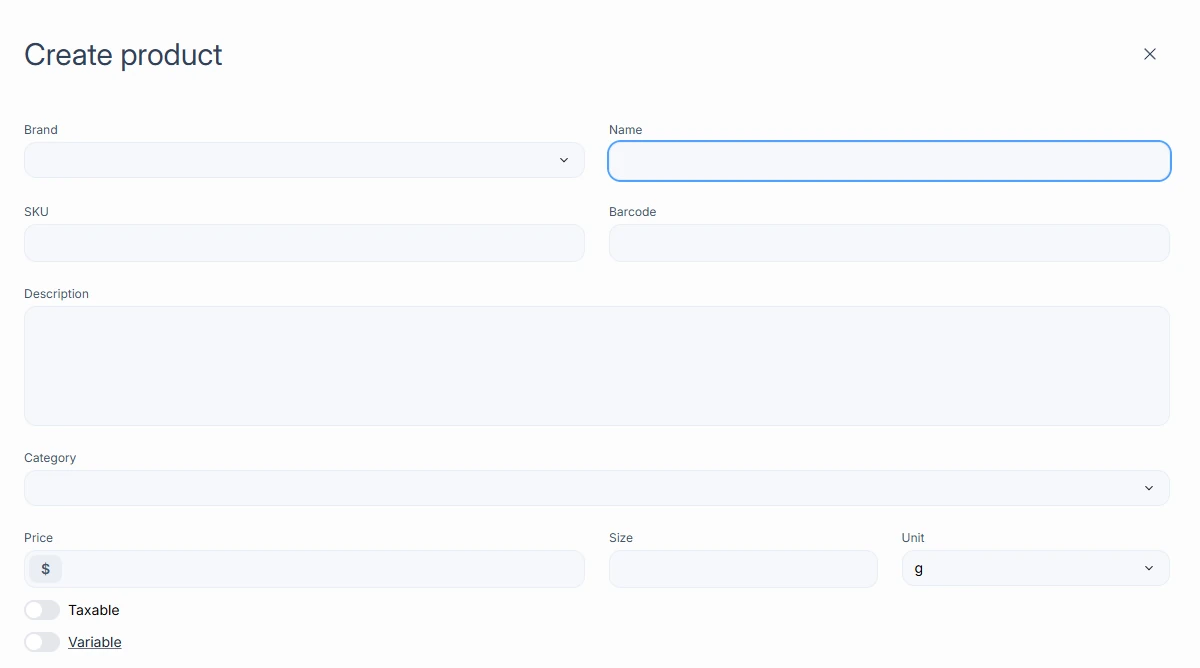
Open Products and choose Create product. Enter the Name, SKU, Barcode, Category, and Price. The price shows as the unit price on the Products list.
Cartons
Under Available in carton, choose Add for each carton size. Each carton has a Size, Price, and Barcode. If you leave the price blank, it is the unit price times the carton size. Cartons are not available when Variable is turned on.

Import in bulk
Use the import options on the Products page.
- Import products uploads products from a CSV.
- Import barcodes uploads barcodes from a CSV.
- Import images uploads product images from a ZIP.
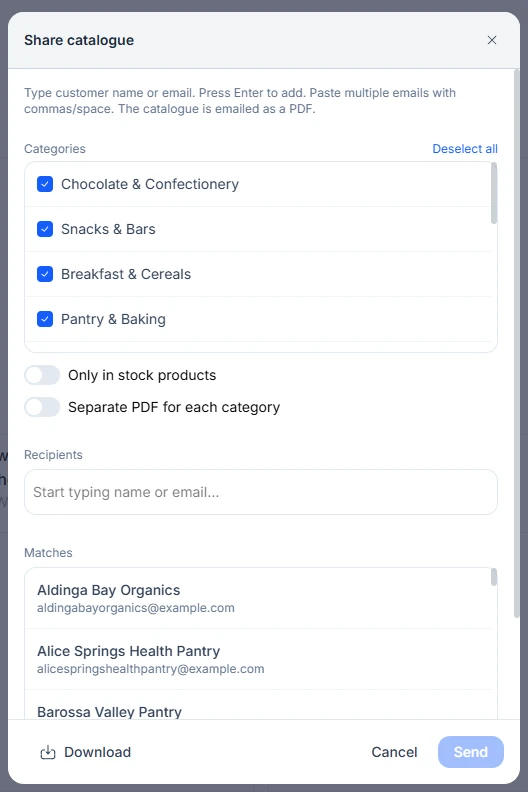
Catalogue
Choose Catalogue on the Products page. Pick the categories to include, and optionally turn on Only in stock products and Separate PDF for each category. Turn on Show price to print prices, and choose a Pricing group, or leave it empty for the base price. Use Share catalogue to email or download it.