
Help / Product guides / Sales / Customers
Customers
Contact details, payment terms, limits, and pricing for each customer.
Last updated
Add a customer
Open Customers and choose Create customer, or use Import to load many.
- Enter the Company name, Email, and Phone. Optionally add Website, ABN, ACN, Account number, and shipping and billing addresses.
- Choose Create contact for each person you deal with.
- Set the Payment term (such as NET 7, NET 30, EOM 30, COD, or Due on receipt) and Payment method (EFT, Cash, or Cheque).
- Choose a Pricing group.
- Under Limits, set a Return limit and Return period for credits, and an Overdue limit by overdue amount or number of unpaid invoices. Leave them blank to use your company defaults.
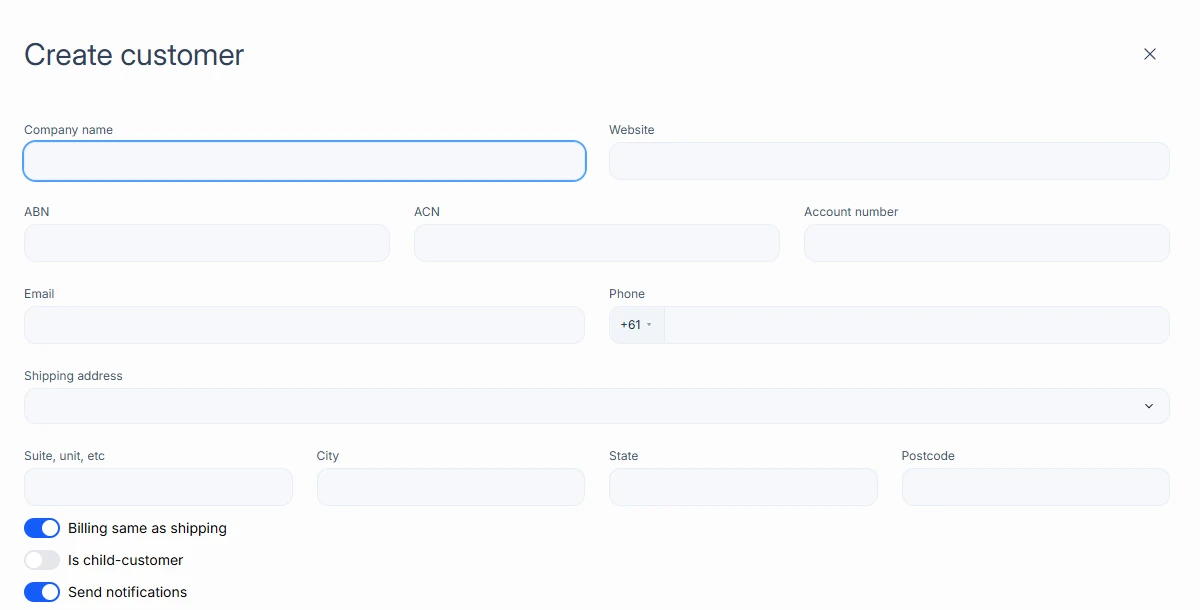
When a customer is past their Overdue limit, new sales are still created, but their delivery stays locked until the account is paid.
The customer profile
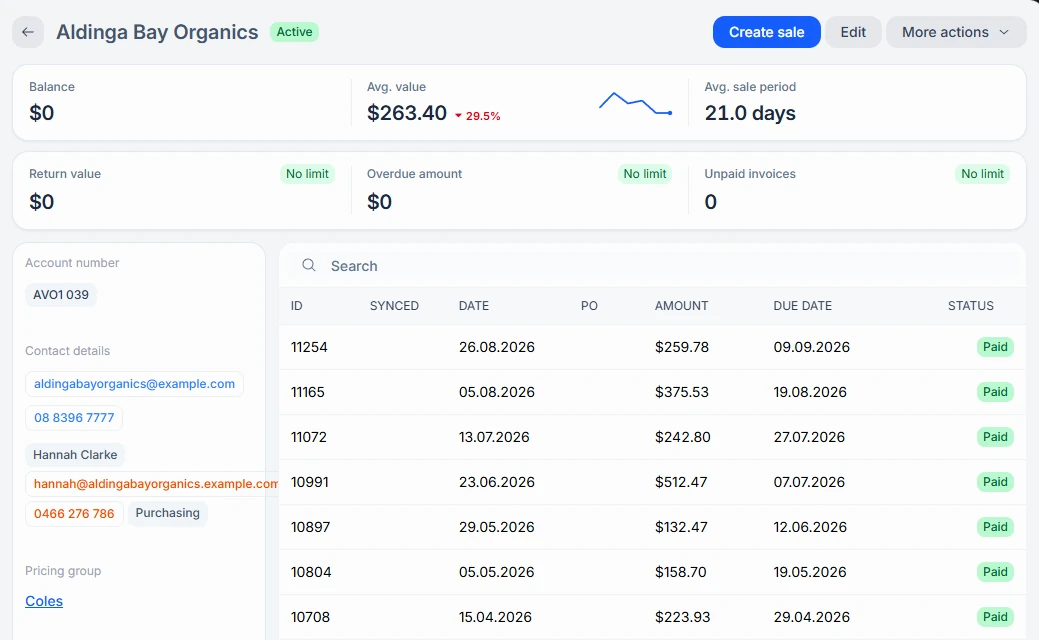
Open a customer to see their Balance, Avg. value, and Avg. sale period, and every sale with its ID, Synced, date, PO, amount, due date, and status. Actions include Create sale, Edit, Download statement, Invite to portal, and Deactivate.
Payment details
Under Payment methods on the profile, choose Request payment details to add a card or direct-debit account now, or email the customer to add it themselves. Use Set default and Remove to manage saved methods.
Link with another Zami company
If the customer also uses Zami, use Request partnership to link your companies. Use Disconnect partnership to end it.